Discover Yahoo! With Your Friends

Explore news, videos, and much more based on what your friends are reading and watching. Publish your own activity and retain full control.

To get started, first

YOUR FRIENDS' ACTIVITY

    What's best for my computer: Hibernate, sleep, or shut down?
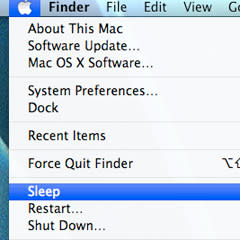
    (Photo: MNN)(Photo: MNN)By Morieka Johnson, Mother Nature Network
    More from Guest Bloggers blog

    Q: Does putting my computer to sleep help extend the battery life? What else can I do to save energy and make my new computer last?

    A: We've all heard stories about what's best for a computer's battery. That's why I was excited to make friends with Fred Peters, president of Huntington Beach IT Services.

    In addition to teaching computing courses in Orange County, Calif., Peters happily makes house calls to revive frazzled computers and the people who rely on them.

    Here are his expert tips on how to keep your new laptop running smoothly.

    Sleep mode vs. shutting down

    Peters notes that your work process will determine whether it's more efficient to use "Sleep" mode or simply shut down the computer. "It is never fun to have to consistently wait any amount of time if the shut downs are too frequent," he says. "'Sleep' requires more power, but it boots up faster, while 'Hibernate' uses less power, but takes longer to come online." That same logic applies to shutting off your computer completely.

    "Your computer will become obsolete before you wear out your computer by turning it on and off a lot," he adds. "It also doesn't take more energy to start a computer than to keep it running."

    Sleep mode requires a constant, though reduced use of power (0-6 watts). Peters also notes that colorful screensavers do nothing to conserve energy. Accessing your computer remotely with the Wake on LAN feature also can drain the power.

    To get the most for your money, Peters advises adjusting power settings so that it automatically goes into Sleep/Standby mode after about 15 minutes of inactivity, and then shut it down at the end of your day.

    Bionic battery life

    To get the most out of your computer battery, Peters says to you have to give it a workout. Don't keep your machine plugged in to an outlet. Instead, discharge the battery daily.

    Size does matter

    By purchasing a laptop, Peters says that you are ahead in the energy-saving game. Laptops use about 15-60 watts, while desktops use 65-250 watts - plus another 15-80 watts for a monitor.

    He also adds that you can further conserve energy by using an LCD monitor and ditching the high-end video card unless it's absolutely necessary. Also, turn off printers and other peripherals when they are not in use.

    To kill "vampire power," TreeHugger.com suggests purchasing a power strip. With all peripherals connected to one source, it's easy to simply flip the switch on power hogs any time.

    Establish a backup process

    In addition to Peters' great advice about conserving energy, I discovered the hard way that it also pays to save backup versions of your work. Invest in an external hard drive to hold your digital music library, special photos, and other key documents. Frequent backups ensure that your data doesn't die with your laptop.

    While you are in the process of backing things up, create an emergency file (on good old-fashioned paper) that contains your computer's serial number along with other key data such as your credit card numbers and phone numbers to reach each company, along with contact info to your insurance company. Access to that information is vital, particularly in the event of an accident, fire, computer theft, or other catastrophe.

    Peters warns that those key pieces of information are not safe on your computer. If you are like me and absolutely need a digital holding space for those nuggets of information, he suggests sites like LastPass as your online vault.

    Happy computing!
    - Morieka

    Got a question? Visit MNN's advice archives to see if your question has already been tackled.

    More from Mother Nature Network


    Check out Yahoo! Green on Twitter and Facebook.


    Top Locations Machohalli

    839 comments

    • HenryHawke  •  1 year 1 month ago
      I was told the best way to conserve battery life was to remove it if you intend to primarily use your laptop plugged in. It's the constant charge/discharge that cuts into battery life and while discharging it completely everyday is fine, it does't translate into practicality if you use an integrated powered docking station and all your USB peripherals are powered by it. Without power to the docking station, you lose access to the peripherals, with power, you're charging the battery. So with replacement batteries costing so much. I only operate under battery power when plugging it in isn't an option.
    • NaPra  •  1 year 1 month ago
      Keep the battery cycling? This guy must be from a battery company. The lithium batteries have a finite number of charging cycles. usually around 1,000. after that the battery capacity would drop. So more you charge-discharge, sooner you'd have to replace your battery!
    • PJNevada  •  1 year 1 month ago
      LITHIUM ION BATTERIES *DO NOT REQUIRE FULL DISCHARGE* TALK ABOUT MYTHS. THE MORE YOU DEEPLY YOU DISCHARGE AN LI BATTERY THE MORE QUICKLY IT WILL AGE AND DIE.

      http://batteryuniversity.com/learn/article/how_to_prolong_lithium_based_batteries
    • Andrea d. Smith  •  11 months ago
      MyTechSupportStore solves the annoying computing errors through specialized operating system support. Our qualified computer repair professionals know ins and outs of your operating system architecture. They not only help you to install and upgrade your OS, but provide expert assistance to configure and personalize their set-ups.

      computer repair -- http://www.mytechsupportstore.com/computer-repair.html
    • GoodreviewsRBetter  •  1 year 1 month ago
      If you want to extend, or at least maintain the longest possible battery life, charge the laptop to its fullest and then drain the battery completely. The battery 'remembers' how long it is supposed to last.

      However, if you repeatedly plug the computer in and out without letting the battery completely drain, the battery's 'memory' is shortened and you will find the computer does not maintain the maximum charge time.
    • Jeanne P.  •  1 year 1 month ago
      I had kept my laptop plugged 24 hours a day for the last 2 years. I use my laptop every day, and it was on while I watched YouTube shamelessly or listened to my i-tunes library for hours. I never bothered to turn it off when I went to bed. For the last two years. Well, my battery started giving out this year, until it just won't run for me. I just restarted using my laptop with a new battery this week. I learned my lesson the hard way, could've avoided $135. So, if I am to discharge the battery before I recharge it, I just hope this advice is based on acrual research and experimentation.
    • StareDownMan1  •  1 year 1 month ago
      I just got my laptop lessnthan 1 yr and already I'm having spurts where the battery is not charging at all. A couple months ago for almost an entire month my lap's battery had less than 50% life. Then out of the blue the battery started recharging. Now the battery is acting up again like it did the last time. It's not charging like it should. I can't seem to figure out the battery and why it does this. Any suggestions? I don't know what the norm is on when the battery needs to be replaced? I don't think it's time to replace it. The battery should have last longer than a yr.
    • Valerie  •  1 year 1 month ago
      another consideration is that a lot of "optional" hardware like higher end graphics hardware, LAN-Internet and external USB devices do not properly turn back on after sleep or hibernation. You have to test your hardware and device drivers to know. But if sleep or hibernate messes up stuff you need to use -- then that option is out. Sleep tends to be a lot worse about this than hibernate as hibernate seems to do partial reinitialization of common devices.
    • Valerie  •  1 year 1 month ago
      A whole bunch of this information in articles and comments is outdated or situational. Batteries tendencies to develop memory of how much you discharged it and then set that as the new fully discharged state is primarily a feature of old battery technology (ni-cad and lead acid). New Lithium cell batteries have only a small fraction of that tendency. Sleep or hibernate or shutdown energy? Equal energy is false. The consultant meant equal WEAR. Sleep is great for relatively short periods of a few hours at time. But honestly if you might not be on the rest the day -- it clearly saves money and energy to hibernate or shutdown. Even small watts of sleep state mount up over time. Energy = watts multipied by hours (divide by 1000 to get kilowatts charged by power company).
    • Karlo Vladomar  •  1 year 1 month ago
      A laptop is like a cellphone. But do you turn off your cellphone when you do not use it?
    • Mony C  •  1 year 1 month ago
      We should to know about hibernet.mesurety of people didn't know about hibernet.thanks for articles.
    • steve  •  1 year 1 month ago
      Well, I have a desktop also. I find that just using sleep works well, and it is seconds from "on" at any time. However, always run cleanup after surfing, and a twice a week shutdown helps to get all the ducks in a row. Keeps mine fast and easy. When I was in high school, my shop teacher had a radio that had been on for over twenty years, he just turned it down. "It's the start-up of any device where something is probably going to fail" is what he said about it.
    • Kenneth  •  1 year 1 month ago
      laptops are overall better because there portable. I do agree the battery needs a workout.
    • MartinL  •  1 year 1 month ago
      My understanding there are two battery technologies: nickel-cadmium (old) and lithium-ion (new):
      (http://www.ehow.com/about_7227703_nicad-vs_-li-ion-battery.html).

      Ni-cad does have a memory effect, meaning it may be better to fully discharge:
      (http://en.wikipedia.org/wiki/Nickel-cadmium_battery#Memory_and_lazy_battery_effects).

      Li-ion does not have a memory effect, meaining it is better *not* to fully discharge when used: from
      http://batteryuniversity.com/learn/article/how_to_prolong_lithium_based_batteries

      "The smaller the depth of discharge, the longer the battery will last. If at all possible, avoid frequent full discharges and charge more often between uses. If full discharges cannot be avoided, try utilizing a larger battery. Partial discharge on Li-ion is fine; there is no memory and the battery does not need periodic full discharge cycles other than to calibrate the fuel gauge on a smart battery."

      (Obviously the Internet is not a definitive souce of information, so check for yourself.)
    • JD_in_FL  •  1 year 1 month ago
      I recommend you always shut down the laptop and not use the sleep mode. As your battery ages, it doesn't last as long. And if you let the battery completely die too many times, it will no longer hold a charge. Before long, it won't even work on the battery. It only takes a few weekends when you put it to sleep on a Friday with a low battery and the battery completely dies before Monday before you have a completely dead battery that won't hold a charge.
    • Donna  •  1 year 1 month ago
      my kids and myself are really into airsofting... and those guns can use the same type of batteries... well, with the nmh type, you want to let it get close to complete drain... and then charge it. sometimes the nmh and nicd bateries can have 'memory' issues... which means that if you kill the battery, and dont charge it all the way up, it may just stay at that last level... and never charge up completely... they might not use nicad batteries anymore since the cells need to be bigger for longer power... and nmh bateries can have the same amount, but alot smaller... now the lithium polymer type... well...... if you let those die... it just might be over! they need to have no less then 3.5v per cell. or they might not work again! but the power you get from these 'lipo' types, and the size... well, there is no match! very bad for the enviroment tho... thats my 2 cents on battery life...
    • Big Brother is a S. O. B.  •  1 year 1 month ago
      Did you ever have someone wake you up to tell you it's OK to sleep some more ?
    • Big Brother is a S. O. B.  •  1 year 1 month ago
      ZZZZZZZZZzzzzzzzzzz........ZZZZZZZZZZzzzzzzzzz......
    • MATT  •  1 year 1 month ago
      Computers???????? The more we try to make our lives simple, the more we complicate them. After all we do with these machines the best thing to do at the end is to write it all down on paper!!!!
    • blue ninja  •  1 year 1 month ago
      don't ask IT guys questions it better to ask the person who runs the computers at school or ask people who where in computer tech classes

    Join us on Pinterest

    DAILY SHOT VIDEO

    We apologize. An error has occurred. Please try again.